Social Media QR Code Generator
Share one public profile with a scan. Choose the platform, paste your profile or channel URL, and download your customized QR.
Choose the profile people should see
Use the complete public address. The platform choice checks the host; it does not look up an account from a username.
Templates20 presets
Applies a scan-safe palette, logo, shapes, and H correction. You can customize everything after.
ShapeSoft · Rounded
Color
LogoNone
The protected center removes QR modules; it does not add a white box behind the logo. Test the final placement before publishing.
SettingsM · 4 modules
From destination to download
- 1
Open your public profile or channel and copy its full URL.
- 2
Choose its platform above and paste the URL. Select Another public profile for a platform outside the listed presets.
- 3
Download the QR, scan it and confirm the account identity in the browser or app your audience uses.
A profile card with a reason to connect
Use your public name, the platform name and a short action such as “Connect on LinkedIn.” Check the displayed identity after scanning; avoid an ambiguous “Scan me” label.
Plan your print dimensions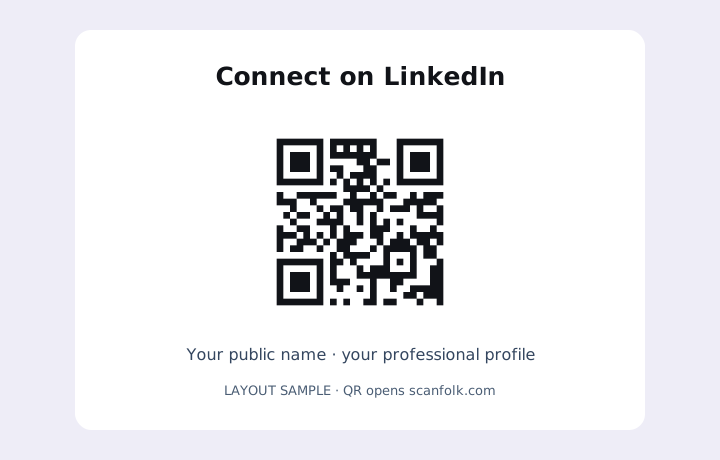
What happens after a scan
Each QR stores one HTTPS URL. The device and social platform decide whether it opens in an app or browser, and whether a login is needed. A scan does not automatically follow, subscribe or send a message.
Where it fits
- A LinkedIn profile on a networking card
- An Instagram profile on packaging
- A YouTube channel on event materials
Before you share or print
- Use a profile or channel address, rather than a private dashboard, temporary invitation or platform home page.
- If your handle changes, check the old URL. A direct QR still stores the original address.
- Use a public profile that visitors can identify. A valid host alone does not prove an account exists.
- For several profiles, link your own existing link page through Another public profile. This tool does not create that page.
Common questions
Can I combine all profiles in one QR?
This tool encodes one address. You can link an existing public page that lists your profiles; Scanfolk does not host a multi-link page.
Will it open the native social app?
That depends on the device, installed apps and platform. The QR contains a normal HTTPS URL.
Does selecting a platform find my profile?
No. Paste your full profile URL. The form checks its host and basic shape, not account existence or ownership.
Explore every QR tool.
Choose a specific payload, keep customizing in Standard, or move into a scan-tested Creative direction.